【openshift教程-04.4】【部署流水线-构建Jenkins配置】
在jenkins中创建构建节点,以及将它们串联成部署流水线。
登录jenkins
一、创建开发环境构建配置
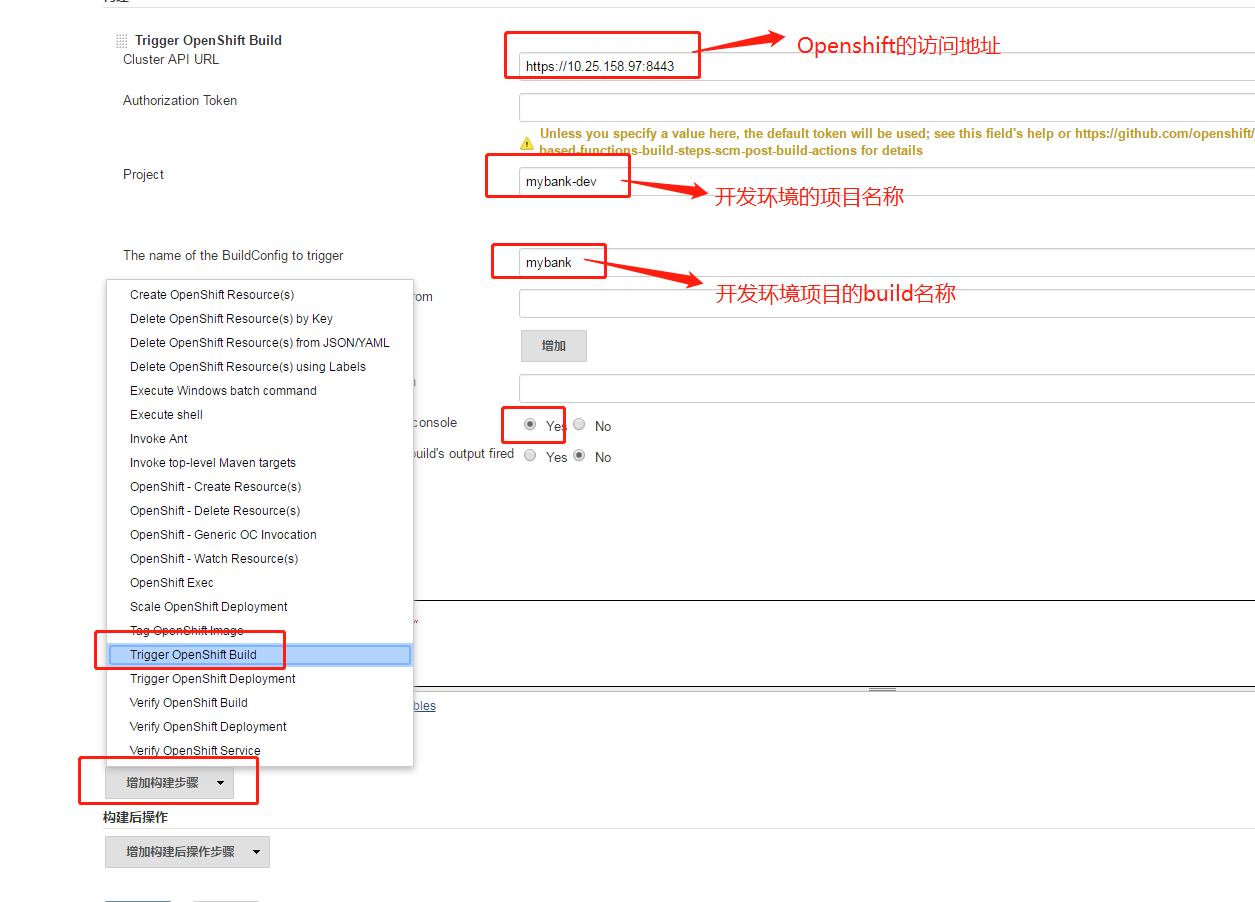
1、创建MyBank DEV,选择freestyle project,创建项目。跳转到配置页面,点击"Add build step"(增加构建步骤),类型选择:Trigger Openshift Build
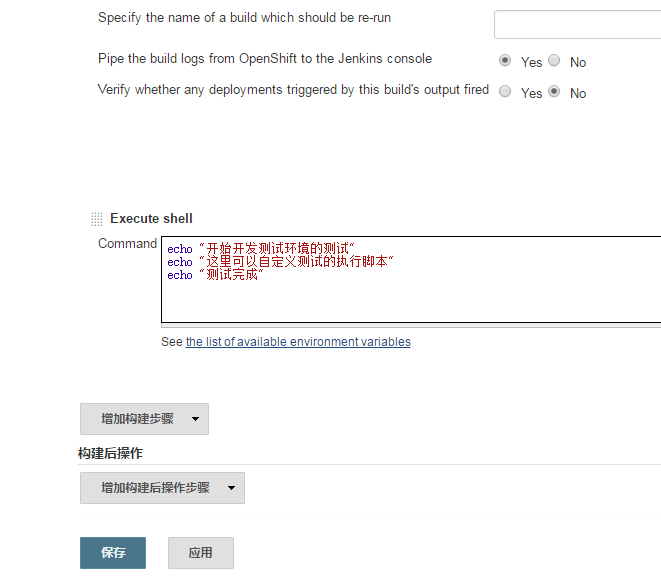
2、再次点击"Add build step"(增加构建步骤),类型为:Execute Shell,输入以下脚本。当上一个build step完成后,这个build step将被触发执行。用户可以在这个执行脚本加入自定义的逻辑,执行测试。
echo '开始开发测试环境的测试'
echo '这里可以自定义开发环境所需要执行的各种测试'
echo '测试完毕'
|
二、创建SIT构建配置
1、创建MyBank SIT,类型:freestyle project,添加"Add build step",构建步骤,选择"Tag Openshift Image",然后再次点击添加"Add build step",构建步骤,选择"Trigger Openshift Deployment"
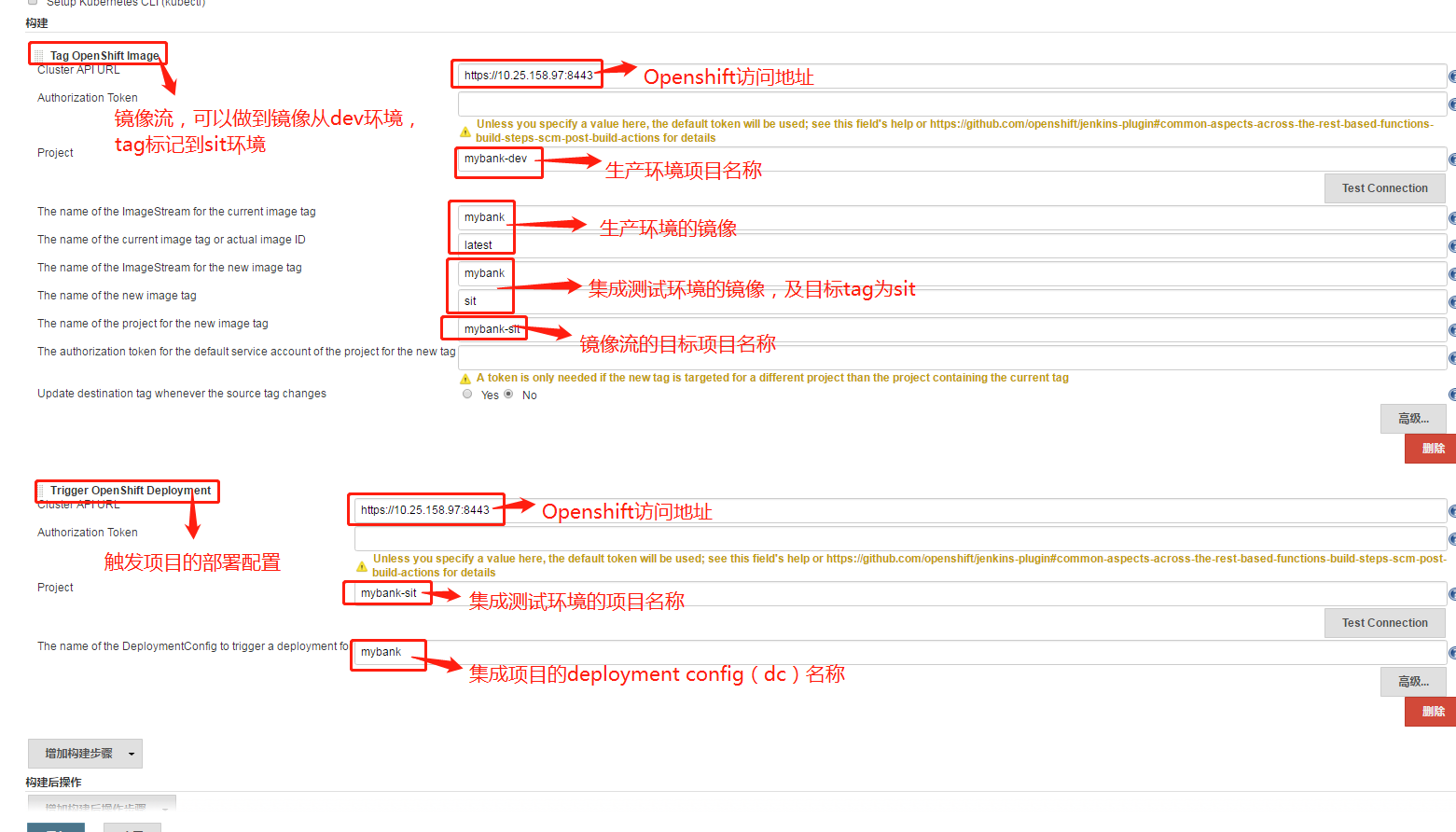
2、参数说明
相关参数说明
参数名
| 参数值
| 说明
|
Cluster API URL
| Openshift集群地址
| |
Project
| mybank-dev
| 源imagestream所在的项目名称
|
The name of the ImageStream for the current image tag
| mybank
| 源imagesteam名称
|
The name of the current image tag or actual image ID
| latest
| 源imagestream标签
|
The name of the ImageStream for the new image tag
| mybank
| 目标imagestream名称
|
The name of the new image tag
| sit
| 目标imagestream标签
|
The name of the project for the new image tag
| mybank-sit
| 目标imagestream所在的项目名称
|
参数名
| 参数值
| 说明
|
Cluster API URL
| Openshift集群地址
| |
Project
| mybank-sit
| 项目名称
|
The name of the BuildConfig to trigger
| mybank
| Deployment config名称
>oc get dc -n mybank-sit
|
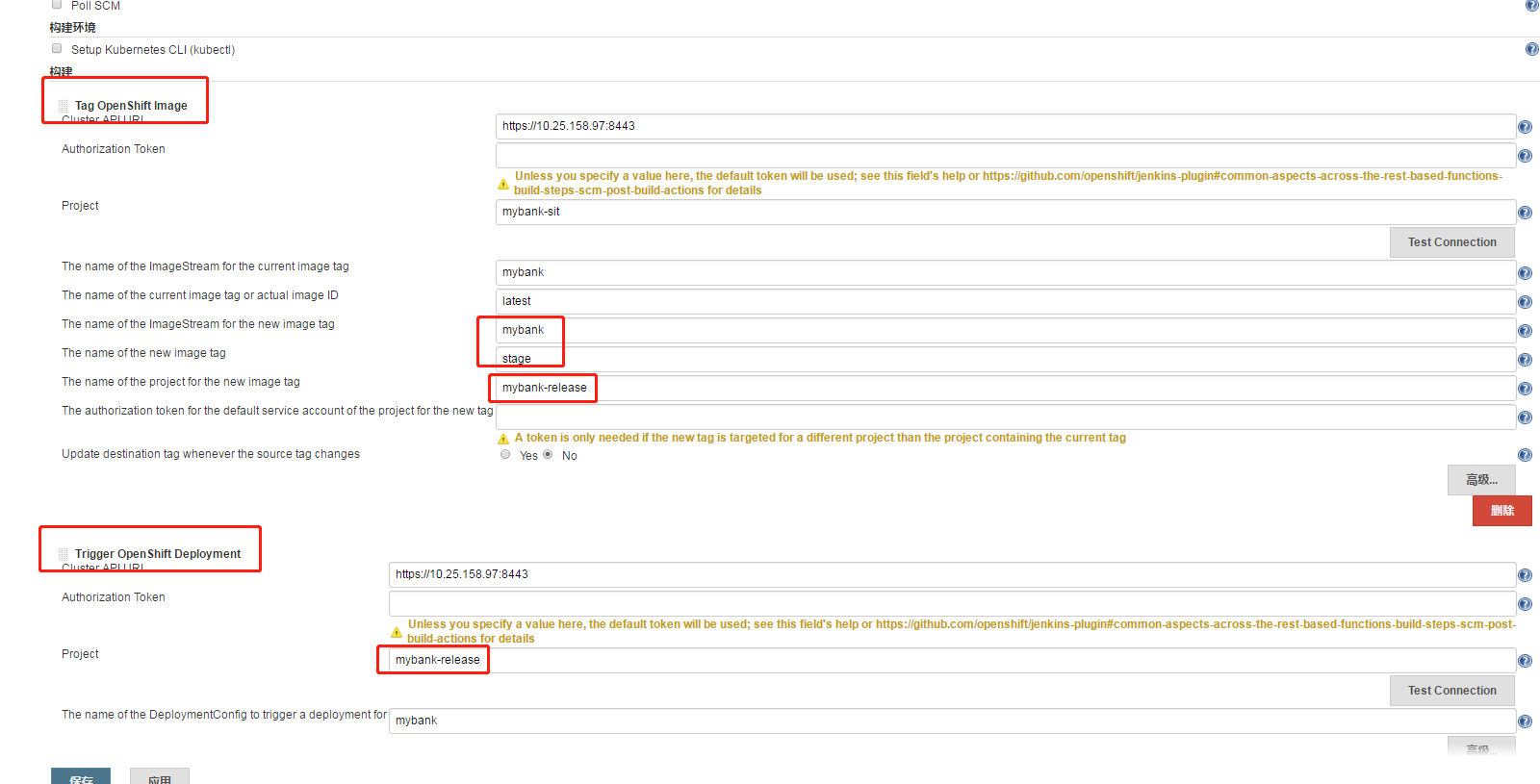
三、创建RELEASE构建配置
1、根据sit的方式,创建项目MyBank RELEASE,添加两个build step,分别是:tag openshift image和trigger openshift deployment。